dir.by  
Поиск >>

Компьютер, программы
→
Html & CSS
 HTML <canvas> draw a picture many times in a rectangle (template) 
посмотрели 5165 раз
обновлено: 17 Augusta 2020
Example we look, we test
Code. Create a new 1.html file
  Html     Let's write the code in the file 1.html
<html>

<!-- heading -->
<head>
     <meta charset="utf-8">
     <title>Example</title>
</head>

<!-- page -->
<body>
     <!-- HTML canvas -->
     <canvas id="canvas1" width='400px' height='300px'></canvas>

     <!-- JavaScript Functions -->
     <script>

          // we upload pictures from files
          function loadImages(files, callbackAllFilesLoaded)
          {
               // count the number of files
               var countFilesToLoad = 0;
               for (var fileId in files)
               {
                    countFilesToLoad++;
               }

               var images = {};
               for (var fileId in files)
               {
                    // create a blank picture
                    images[fileId] = new Image();

                    // event onload
                    images[fileId].onload = function()
                    {
                         // when all the files are loaded, call our function callbackAllFilesLoaded to draw a picture
                         if ( --countFilesToLoad <= 0 )
                         {
                              callbackAllFilesLoaded(images);
                         }
                    };

                    // uploading a picture
                    images[fileId].src = files[fileId];
               }
          }

          // drawing a picture on canvas
          function MyDrawImage(context, image, x, y)
          {
               // drawing a picture
               context.drawImage(image, x, y);
          }

          // Draw pattern
          function MyDrawPattern(context, pattern, x, y, width, height)
          {
               context.rect(x, y, width, height);
               context.fillStyle = pattern;
               context.fill();
          }
     </script>

     <!-- master code -->
     <script>

          <!-- Files -->
          var files = {
               tree : "./tree.jpg",
               my_pattern : "./my_pattern.png"
          };
    
          <!-- context for drawing -->
          var canvas = document.getElementById('canvas1');
          var context = canvas.getContext('2d');

          <!-- upload images -->
          loadImages(files, function (loadedImages)
          {
               <!-- Create pattern -->
               var pattern = context.createPattern(loadedImages.my_pattern, 'repeat');

               <!-- Draw pattern -->
               MyDrawPattern(context, pattern, 10, 5, 370, 290)

               <!-- drawing a picture -->
               MyDrawImage(context, loadedImages.tree, 80, 20);
          });
     </script>

</body>

</html>
Step 2. Download pictures

and

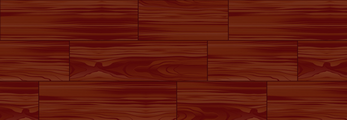
tree.jpg and my_pattern.png the pictures must be in the same folder as the file 1.html
 
← Previous topic
HTML <canvas> we draw a picture and text
 
Next topic →
HTML <canvas> how to get mouse coordinates ? Determine the position of the mouse.
 
Your feedback ... 1 Comments
Владимир
17 July 2021 14:38
Спасибо за статью. Но можно через библиотеку Easy canvas проще сделать и под любую форму. github.com/fakt309/easycanvas
   
Your Name
Your comment (www links can only be added by a logged-in user)

Новость "Черная пятница" Dreame в Беларуси – две недели скидок до 3400 рублей
 
HTML elements
• HTML tag <a> link to go to another page
• HTML tag <abbr> shows an abbreviated name, if you let the mouse down there will be a pop-up inscription
• HTML tags fieldset and legend. This is a frame with a title
• HTML tag <!-- --> comment
• style="border" in the HTML
<BR>
HTML search for an element, elements
• document.querySelector(...) is a JavaScript method for finding an element from document (i.e. in all HTML)
• yourElement.querySelectorAll(...) is a JavaScript method for finding elements inside another HTML element
<BR>
HTML svg (vector graphics for drawing lines, rectangles, ellipses, ...)
• <svg> vector graphics, drawing a line<line>, rectangle <rect>, circle<circle>, text<text>
<BR>
HTML canvas (drawing pictures, text, shapes)
• HTML <canvas> drawing a rectangle
• HTML drawing <canvas> lines by clicking on the Canvas
• HTML <canvas> we draw pictures
• HTML <canvas> we draw a picture with a rotation
• HTML <canvas> draw a picture with horizontal reflection
• HTML <canvas> we draw a picture and text
• HTML <canvas> draw a picture many times in a rectangle (template)
• HTML <canvas> how to get mouse coordinates ? Determine the position of the mouse.
• HTML <canvas> drawing a snake with lines moveTo, lineTo
CSS
• CSS description
• After modifying the file css , the browser displays old styles over and over again. Why?
• Books to study CSS
CSS flex (the element can stretch or shrink and thus fill the free space)
• What is CSS flex
Freeze
• The header in the table is always visible when scrolling | freeze header in table | HTML
• Div is always visible when scrolling (position:fixed, position:sticky) | freeze div | HTML
Do Popup using HTML and Javascript
• How to make a Popup window in a HTML page | Javascript, HTML, CSS
Motion and animation of pictures
• Animation of the little man on the spot. For <div>animation, we use CSS styles: "animation", "background-image", "background-position", "keyframes"
• Animation of a man in motion (sprite). For <div><img>animation we use CSS styles: "animation", "background-image", "background-position", "keyframes"
• Draw a picture with movement. Use the HTML element<canvas>. Use JavaScript for movement: var img = new Image(), img.src = url, drawImage, timer, window.setInterval
• Drawing a picture with movement and animation (sprite). Use the HTML element <canvas>. Use JavaScript for movement: var img = new Image(), img.src = url, drawImage, timer, window.setInterval
Web page on the phone
• I open a web page on my phone in Google Chrome. Why does double-clicking increase the page size?
Layout, page design
• What the Front-end development?
• How to Identify a Device (Tablet, Computer, Phone) Currently Used in JavaScript, HTML
• How to make your site work on a phone, tablet, computer using css media and max-device-width and min-device-width | HTML | CSS
• How to make your website fit in size on your phone, tablet? (HTML meta with attribute name="viewport")
• Correct layout HTML. Bad to use table. You need to use div
• What is Adaptive design? What is responsive design?
• Change the color of the scrollbar for the HTML page. Using CSS
WWW sites for learning
• Sites to explore HTML

  Ваши вопросы присылайте по почте: info@dir.by